Independent Curl
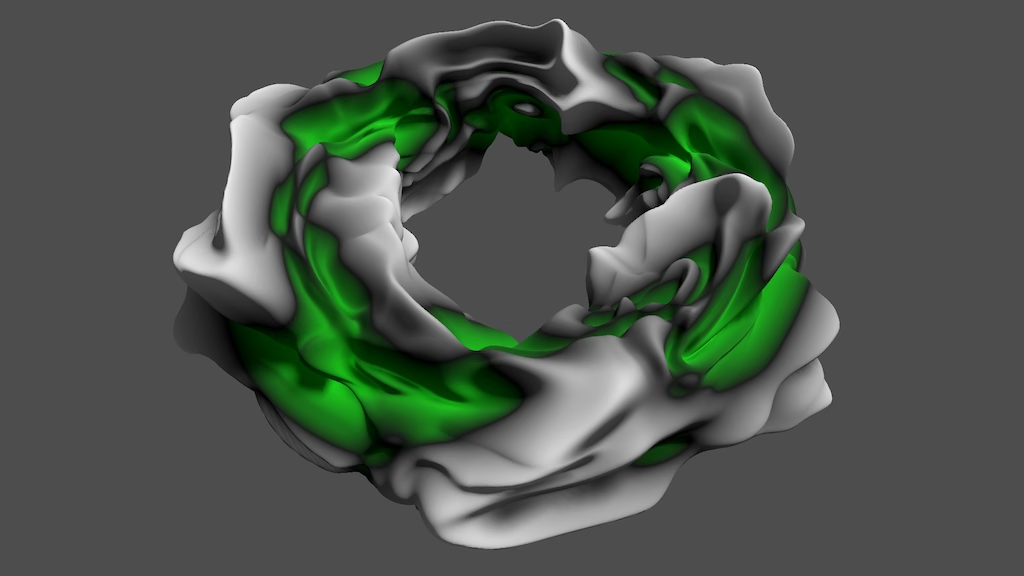
This is the eleventh Godot tutorial in a series that covers the creation of procedural patterns on the GPU with shaders, using the Godot Engine, version 4.7. It follows Curled Noise and restructures things so curl can be applied to other patterns.
Refactoring Settings
This tutorial will be a little different than usual. It's mostly about refactoring what we already have, migrating existing functionality to our shader library and cleaning it up.
Our current shader library is fairly flexible, but so far we've assumed that we always work with a single pattern. Now that we have added curl we effectively have two: the main pattern and the curl pattern. It would be ideal if we could use different patterns for each, making it possible to for example apply value noise curl to sine waves. To facilitate this we're going to restructure our library, starting with fractal_pattern_settings.gdshaderinc
. To keep things manageable we'll remove some customization options.
We introduce a new FractalSettings struct that contains the typical settings for a single fractal pattern. Then we add two of those to FractalPatternSettings, for the main pattern and the curl pattern.
We restructure the old settings a bit, changing some names and adding support for tiling and sliding the whole pattern, which until now we had to implement separately per shader. We also include a seed for the entire pattern. We also limit animation to only a single dimension to keep things simple.
We allow three ways to customize the settings. First, PATTERN_DIMENSIONS to set the amount of dimensions for the pattern, which applies to both the coordinates and frequency. For simplicity we restrict the dimensions to 2 and 3. Second, we introduce USE_FRACTAL_CURL to enable curl, which only works with two dimensions. Third, we keep the old USE_STANDARD_FRACTAL_PATTERN_SETTINGS for including uniform variables and the standard_fractal_pattern_settings() function. Here is the new code documentation for all of that:
/*
Settings for generating fractal patterns.

FractalPatternSettings struct has the following settings:
- seed: The seed value, potentially used for hashing (default 0).
- tiling: Whether the whole pattern tiles (default false).
- animating: Whether the whole pattern animates (default false).
- sliding: Whether the whole pattern slides (default false).
- slide_velocity: How fast the pattern slides (default 1.0).
- curling: Whether the main pattern is curled (default false).
- curl_strength: How much curl is applied (default 0.0).
- main: FractalSettings for the main pattern.
- curl: FractalSettings for the curl pattern.

The FractalSettings struct has the following settings:
- base_frequency: Frequency of first octave (default 1.0).
- octaves: The amount of octaves (default 1).
- lacunarity: Frequency multiplier for successive octaves (default 2.0).
- persistence: Amplitude multiplier for successive octaves (default 0.5).
- base_animation: Animation speed for first octave (default 1.0).
- temporal_lacunarity: Animation multiplier for succesive octaves (default 2.0).
- smoothness: An integer representing the smoothness of the pattern.
- adaptive_scale: How to scale the total amplitude (default false):
  - true: Based on actual octaves.
  - false: Based on infinite octaves.

Define PATTERN_DIMENSIONS to set the amount of dimenions of the pattern.
Allowed values are 2 and 3. The default is 2.
The corresponding coordinate and frequency types are vec2 and vec3.

Define USE_FRACTAL_PATTERN_CURL to indicate that curl is supported.
Curl requires PATTERN_DIMENSIONS to be 2.

Define USE_STANDARD_FRACTAL_PATTERN_SETTINGS for:
- Uniform variables to configure the fractal pattern.
- The standard_fractal_pattern_settings function to get the matching settings.
*/
We continue with the actual code for the settings. We replace all the old code, that's why I don't mark changes. After the documentation comes the default definition of PATTERN_DIMENSIONS. Then we define the old PATTERN_DIMENSION_TYPE based on that. This approach gives us better control over the dimension type and allows us to check the amount of dimensions if needed.
#ifndef PATTERN_DIMENSIONS
#define PATTERN_DIMENSIONS 2
#endif

#if PATTERN_DIMENSIONS == 2
#define PATTERN_DIMENSION_TYPE vec2
#else
#define PATTERN_DIMENSION_TYPE vec3
#endif
Next we define the new FractalSettings struct type.
struct FractalSettings {
	PATTERN_DIMENSION_TYPE base_frequency;
	int octaves;
	float lacunarity;
	float persistence;
	float base_animation;
	float temporal_lacunarity;
	int smoothness;
	bool adaptive_scale;
};
Then comes the restructured FractalPatternSettings type.
struct FractalPatternSettings {
	uint seed;
	bool tiling;
	bool animating;
	bool sliding;
	PATTERN_DIMENSION_TYPE slide_velocity;
	bool curling;
	float curl_strength;
	FractalSettings main;
	FractalSettings curl;
};
Next comes the default_fractal_pattern_settings() function, which we now always include. Because the settings have become more complex we don't rely on the struct constructor function anymore but instead set everything explicitly, which is easier to work with. As we're using the same default settings for both patterns we can simply copy the main settings to the curl settings.
FractalPatternSettings default_fractal_pattern_settings() {
	FractalPatternSettings s;
	s.seed = 0u;
	s.tiling = false;
	s.animating = false;
	s.sliding = false;
	s.slide_velocity = PATTERN_DIMENSION_TYPE(1.0);
	s.curling = false;
	s.curl_strength = 0.0;

	s.main.base_frequency = PATTERN_DIMENSION_TYPE(1.0);
	s.main.octaves = 1;
	s.main.lacunarity = 2.0;
	s.main.persistence = 0.5;
	s.main.base_animation = 1.0;
	s.main.temporal_lacunarity = 2.0;
	s.main.smoothness = 0;
	s.main.adaptive_scale = true;

	s.curl = s.pattern;
	return s;
}
After that come the standard settings, if desired. We use new names for the uniform fields to better distinguish them and expose all settings for both patterns. The only difference between main and curl is that we limit the curl octaves slider to 3. Thus the standard settings simply cover everything for maximum configurability, but what gets exposed could be reduced like we did in the past, for example omitting the animation settings or only exposing a uniform frequency.
The standard_fractal_pattern_settings() now starts by calling default_fractal_pattern_settings() and then overwrites everything with the uniform variables. This makes omitting some settings easier if desired, as they can simply be skipped which keeps their default values.
We also use group_uniforms followed by a label to create property groups in the inspector to partition the big block of properties. Start with the Fractal label and use subgroups for the two patterns, using Fractal.Pattern and Fractal.Curl.
#ifdef USE_STANDARD_FRACTAL_PATTERN_SETTINGS
group_uniforms Fractal;
uniform uint fractal_seed = 0u;
uniform bool fractal_tiling = false;
uniform bool fractal_animating = false;
uniform bool fractal_sliding = false;
uniform PATTERN_DIMENSION_TYPE fractal_slide_velocity =
		PATTERN_DIMENSION_TYPE(1.0);

#ifdef USE_FRACTAL_PATTERN_CURL
uniform bool fractal_curling = false;
uniform float fractal_curl_strength : hint_range(-1.0, 1.0) = 0.0;
#endif

group_uniforms Fractal.Pattern;
uniform PATTERN_DIMENSION_TYPE pattern_frequency = PATTERN_DIMENSION_TYPE(1.0);
uniform int pattern_octaves : hint_range(1, 10) = 1;
uniform float pattern_lacunarity : hint_range(1.0, 5.0, 0.1) = 2.0;
uniform float pattern_persistence : hint_range(0.0, 0.95, 0.05) = 0.5;
uniform float pattern_base_animation = 1.0;
uniform float pattern_temporal_lacunarity = 2.0;
uniform int pattern_smoothness :
		hint_enum("Step", "Linear", "Smooth", "Smoother") = 0;
uniform bool pattern_adaptive_scale = true;

#ifdef USE_FRACTAL_PATTERN_CURL
group_uniforms Fractal.Curl;
uniform PATTERN_DIMENSION_TYPE curl_frequency = PATTERN_DIMENSION_TYPE(1.0);
uniform int curl_octaves : hint_range(1, 3) = 1;
uniform float curl_lacunarity : hint_range(1.0, 5.0, 0.1) = 2.0;
uniform float curl_persistence : hint_range(0.0, 0.95, 0.05) = 0.5;
uniform float curl_base_animation = 1.0;
uniform float curl_temporal_lacunarity = 2.0;
uniform int curl_smoothness :
		hint_enum("Step", "Linear", "Smooth", "Smoother") = 0;
uniform bool curl_adaptive_scale = true;
#endif

FractalPatternSettings standard_fractal_pattern_settings() {
	FractalPatternSettings s = default_fractal_pattern_settings();
	s.seed = fractal_seed;
	s.tiling = fractal_tiling;
	s.animating = fractal_animating;
	s.sliding = fractal_sliding;
	s.slide_velocity = fractal_slide_velocity;

	s.main.base_frequency = pattern_frequency;
	s.main.octaves = pattern_octaves;
	s.main.lacunarity = pattern_lacunarity;
	s.main.persistence = pattern_persistence;
	s.main.base_animation = pattern_base_animation;
	s.main.temporal_lacunarity = pattern_temporal_lacunarity;
	s.main.smoothness = pattern_smoothness;
	s.main.adaptive_scale = pattern_adaptive_scale;

#ifdef USE_FRACTAL_PATTERN_CURL
	s.curling = fractal_curling;
	s.curl_strength = fractal_curl_strength;
	s.curl.base_frequency = curl_frequency;
	s.curl.octaves = curl_octaves;
	s.curl.lacunarity = curl_lacunarity;
	s.curl.persistence = curl_persistence;
	s.curl.base_animation = curl_base_animation;
	s.curl.temporal_lacunarity = curl_temporal_lacunarity;
	s.curl.smoothness = curl_smoothness;
	s.curl.adaptive_scale = curl_adaptive_scale;
#endif
	return s;
}
#endif
Of course this breaks all code that relies on the settings. We'll keep working through everything to make it work again.
Refactoring Pattern Sample
We move on to refactoring pattern_sample.gdshaderinc
. We're going to change approach here as well, introducing PATTERN_SAMPLE_DIMENSIONS as a configuration option instead of allowing direct definition of the value type.
/*
Declares the PatternSample struct used by fractal_pattern.gdshaderinc.

Define PATTERN_SAMPLE_DIMENSIONS to set the value dimensions.
Allowed values are 1, 2, 3, and 4. The default is 1.
The corresponding coordinate types are float, vec2, vec3, and vec4.
The value field is named v.

Up to three derivatives are supported, with the same type as the value.
The derivative fields are named dx, dy, dz.
*/
We start the code by replacing the old default PATTERN_SAMPLE_VALUE_TYPE definition with the new approach.
#include "res://shader_library/hasher.gdshaderinc"

#ifndef PATTERN_SAMPLE_DIMENSIONS
#define PATTERN_SAMPLE_DIMENSIONS 1
#endif

#if PATTERN_SAMPLE_DIMENSIONS == 1
#define PATTERN_SAMPLE_VALUE_TYPE float
#elif PATTERN_SAMPLE_DIMENSIONS == 2
#define PATTERN_SAMPLE_VALUE_TYPE vec2
#elif PATTERN_SAMPLE_DIMENSIONS == 3
#define PATTERN_SAMPLE_VALUE_TYPE vec3
#else
#define PATTERN_SAMPLE_VALUE_TYPE vec4
#endif
The rest of the code remains the same. But we take this opportunity to add some new convenient functionality here. First we introduce a blend_square() function that blends four samples given UV coordinates that define coordinates inside the unit square and a smoothness type. The function then performs the same blending that we're currently doing for value noise. We put it here because this type of blending can also be used for other noise types.
PatternSample blend_square(
		PatternSample s00,
		PatternSample s10,
		PatternSample s01,
		PatternSample s11,
		vec2 uv,
		int smoothness_type
) {
	PatternSample u = zero_pattern_sample();
	u.v = PATTERN_SAMPLE_VALUE_TYPE(uv.x);
	u.dx = PATTERN_SAMPLE_VALUE_TYPE(1.0);
	PatternSample v = zero_pattern_sample();
	v.v = PATTERN_SAMPLE_VALUE_TYPE(uv.y);
	v.dy = PATTERN_SAMPLE_VALUE_TYPE(1.0);

	u = smooth01(u, smoothness_type);
	v = smooth01(v, smoothness_type);
	return blend(
			blend(s00, s10, u),
			blend(s01, s11, u),
			v
	);
}
Let's also introduce convenient scale_derivatives() functions.
PatternSample scale_derivatives(PatternSample s, vec3 scale) {
	s.dx *= scale.x;
	s.dy *= scale.y;
	s.dz *= scale.z;
	return s;
}

PatternSample scale_derivatives(PatternSample s, vec2 scale) {
	return scale_derivatives(s, vec3(scale, 0.0));
}
We also add a hasher_to_value_sample() function that takes a hasher, time, and whether the pattern is animating, to produce a pattern sample, performing the same work that we also do per lattice point for value noise. It uses a companion hasher_to_value() function that produces a value from a hasher for all dimensions.
PATTERN_SAMPLE_VALUE_TYPE hasher_to_value(Hasher h) {
#if PATTERN_SAMPLE_DIMENSIONS == 1
	return hash_to_float(hash(h));
#elif PATTERN_SAMPLE_DIMENSIONS == 2
	return hash_to_vec2(hash(h));
#elif PATTERN_SAMPLE_DIMENSIONS == 3
	return hash_to_vec3(hash(h));
#else
	return hash_to_vec4(hash(h));
#endif
}

PatternSample hasher_to_value_sample(Hasher h, float time, bool animating) {
	PatternSample s = zero_pattern_sample();
	if (animating) {
		float t0 = floor(time);
		float t1 = t0 + 1.0;
		s.v = mix(
				hasher_to_value(hasher(h, t0)),
				hasher_to_value(hasher(h, t1)),
				smoothstep(0.0, 1.0, time - t0)
		);
	}
	else {
		s.v = hasher_to_value(h);
	}
	return s;
}
This requires us to add a hash_to_vec4() function to hasher.gdshaderinc
, using one byte per value.
vec4 hash_to_vec4(uint hash) {
	return uintBitsToFloat(uvec4(
			hash << 15u,
			hash << 7u,
			hash >> 1u,
			hash >> 9u
	) & uvec4(0x007F8000u) | uvec4(0x3F800000u)) - 1.0;
}
Refactoring Fractal Pattern
fractal_pattern.gdshaderinc
also needs to change. We make it take care of sampling the main pattern, applying curl, tiling, and sliding the pattern. The standard way to use it would be to call a new sample_fractal() function that takes care of everything. Again, curl only works for a 2D pattern because we haven't made a version for 3D yet, which is more complex. The curl pattern is now independent, customized by defining SAMPLE_CURL_FUNCTION. If the sample value has more than one dimension then curl will be based on its first dimension only, ignoring the other dimensions, because we only apply a single curl offset to sample the entire pattern. Here is the new code documentation for it:
/*
Functions for fractal pattern sampling.

Typical use case is to only call sample_fractal.
It takes care of pattern tiling, sliding, and curling.
Its parameters are:
- FractalPatternSettings for the fractal settings.
- SAMPLE_PATTERN_COORDINATES_TYPE for the sample coordinates.
- float for the time used for animation.

Define SAMPLE_PATTERN_FUNCTION to set the function for sampling an octave.
Only define the function name, without parameter list.
The matching function declaration must have three parameters:
- FractalPatternSettings for the pattern settings.
- int for the octave's index.
- PATTERN_DIMENSION_TYPE for the octave's sample frequency.
- PATTERN_DIMENSION_TYPE for the sample coordinates.
- float for the octave's animation offset.

Curl requires PATTERN_DIMENSIONS to be 2.
Curl is based on the first pattern sample's value component.

Define SAMPLE_CURL_FUNCTION for curl as for SAMPLE_PATTERN_FUNCTION.
By default it is the same as SAMPLE_PATTERN_FUNCTION.
*/
We're no longer defining a separate type for the coordinates here. We'll also pass the entire settings struct to the sample pattern function instead of a separate seed. If a curl function is not defined we define it to be the same as the sample pattern function.
#include "fractal_pattern_settings.gdshaderinc"
#include "pattern_sample.gdshaderinc"

//#ifndef SAMPLE_PATTERN_COORDINATES_TYPE
//#define SAMPLE_PATTERN_COORDINATES_TYPE vec2
//#endif

#ifndef SAMPLE_PATTERN_FUNCTION
#define SAMPLE_PATTERN_FUNCTION dummy_sample_pattern

PatternSample dummy_sample_pattern(
		FractalPatternSettings settings,
		int octave,
		PATTERN_DIMENSION_TYPE frequency,
		PATTERN_DIMENSION_TYPE coordinates,
		float animation_offset
) {
	return zero_pattern_sample();
}
#endif

#ifndef SAMPLE_CURL_FUNCTION
#define SAMPLE_CURL_FUNCTION SAMPLE_PATTERN_FUNCTION
#endif
We can now suffice with passing FractalSettings to normalize_fractal_sample() instead of the entire FractalPatternSettings.
PatternSample normalize_fractal_sample(
		FractalSettings settings,
		PatternSample s
) {
	float scale = 1.0 - settings.persistence;
	if (settings.adaptive_scale) {
		scale /= 1.0 - pow(settings.persistence, float(settings.octaves));
	}
	return multiply(s, scale);
}
Adapt sample_fractal_pattern() to work with the new approach.
PatternSample sample_fractal_pattern(
		FractalPatternSettings settings,
		PATTERN_DIMENSION_TYPE coordinates,
		float time
) {
	FractalSettings pattern = settings.main;
	PatternSample sum = zero_pattern_sample();
	PATTERN_DIMENSION_TYPE frequency = pattern.base_frequency;
	float animation_offset = pattern.base_animation * time;
	float amplitude = 1.0;
	for (int i = 0; i < pattern.octaves; i++) {
		PatternSample sample = SAMPLE_PATTERN_FUNCTION(
				settings, i, frequency, coordinates, animation_offset
		);
		sum = add(sum, multiply(sample, amplitude));
		frequency *= pattern.lacunarity;
		animation_offset *= pattern.temporal_lacunarity;
		amplitude *= pattern.persistence;
	}
	return normalize_fractal_sample(pattern, sum);
}
If curling is enabled the we need a duplicate of this function that calls SAMPLE_CURL_FUCTION() instead. We name it sample_fractal_curl() and place it directly below the original. It still works with settings.main instead of settings.curl because we expect the curl settings to have replaced the main settings. The following code is all new and not marked.
#ifdef USE_FRACTAL_PATTERN_CURL
PatternSample sample_fractal_curl(
		FractalPatternSettings settings,
		vec2 uv,
		float time
) {
	FractalSettings pattern = settings.main;
	PatternSample sum = zero_pattern_sample();
	PATTERN_DIMENSION_TYPE frequency = pattern.base_frequency;
	float animation_offset = pattern.base_animation * time;
	float amplitude = 1.0;
	for (int i = 0; i < pattern.octaves; i++) {
		PatternSample sample = SAMPLE_CURL_FUNCTION(
				settings, i, frequency, uv, animation_offset
		);
		sum = add(sum, multiply(sample, amplitude));
		frequency *= pattern.lacunarity;
		animation_offset *= pattern.temporal_lacunarity;
		amplitude *= pattern.persistence;
	}
	return normalize_fractal_sample(pattern, sum);
}
After that comes the sample_fractal_curl() function, which we take from our value noise shader and apart to work with the new approach. It is here that we replace the main pattern wtih the curl pattern.
void sample_fractal_curl(
	FractalPatternSettings settings,
	vec2 uv,
	float time,
	out PatternSample u,
	out PatternSample v
) {
	settings.seed ^= 255u;
	settings.main = settings.curl;

	PatternSample s = sample_fractal_curl(settings, uv, time);
	float epsilon = 0.001;
	PatternSample sx = sample_fractal_curl(
			settings, uv + vec2(epsilon, 0.0), time
	);
	PatternSample sy = sample_fractal_curl(
			settings, uv + vec2(0.0, epsilon), time
	);

	float smoothness_normalization = 1.0;
	switch (settings.main.smoothness) {
		case 2:
			smoothness_normalization = 2.0 / 3.0;
			break;
		case 3:
			smoothness_normalization = 8.0 / 15.0;
			break;
	}
	vec2 scale = vec2(
			settings.curl_strength * smoothness_normalization / epsilon /
			settings.main.base_frequency
	);
	u = multiply(subtract(sy, s), scale.y);
	v = multiply(subtract(sx, s), -scale.x);
}
After that comes a sample_fractal_pattern_with_curl() function that calls sample_fractal_pattern() while applying curl if it is enabled. That's the optional code for when curl is supported.
PatternSample sample_fractal_pattern_with_curl(
	FractalPatternSettings settings,
	vec2 uv,
	float time
) {
	PatternSample u, v;
	if (settings.curling) {
		sample_fractal_curl(settings, uv, time, u, v);
		u.v += uv.x;
		u.dx += 1.0;
		v.v += uv.y;
		v.dy += 1.0;

		#if PATTERN_SAMPLE_DIMENSIONS == 1
		uv = vec2(u.v, v.v);
		#else
		uv = vec2(u.v.x, v.v.x);
		#endif
		if (settings.tiling) {
			uv = fract(uv);
		}
	}
	PatternSample s = sample_fractal_pattern(settings, uv, TIME);
	if (settings.curling) {
		PATTERN_SAMPLE_VALUE_TYPE dx = s.dx;
		s.dx = u.dx * dx + v.dx * s.dy;
		s.dy = u.dy * dx + v.dy * s.dy;
	}
	return s;
}
#endif
At the end we add the sample_fractal() function that takes care of everything.
PatternSample sample_fractal(
	FractalPatternSettings settings,
	PATTERN_DIMENSION_TYPE coordinates,
	float time
) {
	if (settings.sliding) {
		coordinates += settings.slide_velocity * time;
		if (settings.tiling) {
			coordinates = fract(coordinates);
		}
	}
	#ifdef USE_FRACTAL_PATTERN_CURL
	return sample_fractal_pattern_with_curl(settings, coordinates, time);
	#else
	return sample_fractal_pattern(settings, coordinates, time);
	#endif
}
Lattice Hashing
Earlier we added some useful functionality specific for pattern samples that will simplify our code for value noise and similar future patterns. Let's also do the sample for the code to get hashers based on a lattice grid. Create a new lattice_hashing.gdshaderinc
file in our shader library folder. Put the lattice01() function from value noise in it.
/*
Lattice hasing functions for 2D lattice noise, like square value noise.
*/
#include "res://shader_library/hasher.gdshaderinc"

vec2 lattice01(float lattice_coordinate, float frequency, bool tiling) {
	if (!tiling) {
		return vec2(lattice_coordinate, lattice_coordinate + 1.0);
	}
	else {
		float l0 = lattice_coordinate;
		if (l0 < 0.0) {
			l0 += frequency;
		}
		else if (l0 >= frequency) {
			l0 -= frequency;
		}
		float l1 = l0 + 1.0;
		if (l1 >= frequency) {
			l1 -= frequency;
		}
		return vec2(l0, l1);
	}
}
Also introduce a get_lattice_square() function that uses a seed, 2D coordinates, frequency, time, and a tiling toggle. It uses this to provide the four hashers, interpolation coordinates, and also the two animation times that we need for a tile of value noise. We return these packed in a new LatticeSquare struct. This code comes almost entirely from our value noise shader, but is now more generic.
struct LatticeSquare {
	Hasher h00, h10, h01, h11;
	vec2 uv;
	float time_a, time_b;
};

LatticeSquare get_lattice_square(
		uint seed,
		vec2 uv,
		vec2 frequency,
		float time,
		bool tiling
) {
	LatticeSquare s;
	vec2 sample_coordinates = frequency * uv;
	vec2 lattice_coordinates = floor(sample_coordinates);
	s.uv = sample_coordinates - lattice_coordinates;

	vec2 uLattice = lattice01(lattice_coordinates.x, frequency.x, tiling);
	vec2 vLattice = lattice01(lattice_coordinates.y, frequency.y, tiling);

	Hasher h = hasher(seed);
	Hasher h0 = hasher(h, uLattice.x);
	Hasher h1 = hasher(h, uLattice.y);
	s.h00 = hasher(h0, vLattice.x);
	s.h10 = hasher(h1, vLattice.x);
	s.h01 = hasher(h0, vLattice.y);
	s.h11 = hasher(h1, vLattice.y);

	float time_stagger = fract(
			(lattice_coordinates.x + lattice_coordinates.y) * 0.5
	);
	s.time_a = time + time_stagger;
	s.time_b = time + (0.5 - time_stagger);

	return s;
}
Square Value Noise
Using our new library we can drastically simplify the code to sample value noise. Let's put this code in a library file as well so we can use it in multiple shaders. Let's use a more precise name for this, because the name "value noise" is generic. We're specifically working with 2D value noise made by blending values from a square lattice grid, so let's name it "square blended value noise". So we create a square_blended_value_noise.gdshaderinc
file in our shader library and put a sample_square_blended_value_noise() function in there. It first gets a lattice square. It then calls a value_sample() function for each hasher of the square, which simply forwards the call to hasher_to_value_sample(), and blends those. Then it scales the derivatives and returns the result.
/*
Square value noise sampling function.
2D noise made by blending hashes across a square lattice grid.

Requires PATTERN_DIMENSIONS to be 2.
*/
#include "res://shader_library/fractal_pattern_settings.gdshaderinc"
#include "res://shader_library/lattice_hasing.gdshaderinc"
#include "res://shader_library/pattern_sample.gdshaderinc"

PatternSample value_sample(Hasher h, float time, bool use_animation) {
	return hasher_to_value_sample(h, time, use_animation);
}

PatternSample sample_square_blended_value_noise(
		FractalPatternSettings settings,
		int octave,
		vec2 frequency,
		vec2 uv,
		float time
) {
	LatticeSquare square = get_lattice_square(
			settings.seed + uint(octave), uv, frequency, time, settings.tiling
	);
	PatternSample s = blend_square(
			value_sample(square.h00, square.time_a, settings.animating),
			value_sample(square.h10, square.time_b, settings.animating),
			value_sample(square.h01, square.time_b, settings.animating),
			value_sample(square.h11, square.time_a, settings.animating),
			square.uv,
			settings.main.smoothness
	);
	return scale_derivatives(s, frequency);
}
That completes our shader library refactor.
Value Noise Shader
The code in value_noise.gdshader
can now be simplified a lot.
shader_type spatial;

//…
uniform bool colored = true;
uniform vec3 color_min : source_color = vec3(1.0, 0.0, 0.0);
uniform vec3 color_mid : source_color = vec3(0.0);
uniform vec3 color_max : source_color = vec3(1.0);
//uniform int smoothness : hint_enum("Step", "Linear", "Smooth", "Smoother") = 3;
uniform vec2 bumpiness = vec2(1.0);
uniform float displacement : hint_range(-1.0, 1.0) = 0.2;
uniform bool vertex_displacement = true;
//…

#define USE_FRACTAL_PATTERN_CURL
#define USE_STANDARD_FRACTAL_PATTERN_SETTINGS
#define SAMPLE_PATTERN_FUNCTION sample_square_blended_value_noise
#include "res://shader_library/square_blended_value_noise.gdshaderinc"
#include "res://shader_library/fractal_pattern.gdshaderinc"

vec3 colorize(float v) { … }

//…

PatternSample sample_noise(vec2 uv) {
	return sample_fractal(standard_fractal_pattern_settings(), uv, TIME);
}

void vertex() { … }

void fragment() { … }
Sine Waves Shader
We also have to adjust sine_waves.gdshader
to work with the new library. We lost the ability to have separate animation speeds and temporal lacunarity per dimension, so our animations have to become a bit simpler. However, we can get some of the flexibility back by basing the wave animation on the slide velocity, which is still 2D. So the per-octave wave animation gets applied on top of the sliding of the entire pattern.
shader_type spatial;

uniform vec2 bumpiness = vec2(1.0);
uniform float displacement : hint_range(-1.0, 1.0) = 0.2;

//…

uniform int function : hint_enum("U", "V", "UV Average", "UV Product") = 0;
uniform bool colors_per_vertex = false;
uniform bool derivatives_per_vertex = false;
uniform bool vertex_displacement = true;

#define USE_STANDARD_FRACTAL_PATTERN_SETTINGS
#include "res://shader_library/fractal_pattern_settings.gdshaderinc"

varying vec2 derivatives;

vec3 colorize(float v) { … }

#include "res://shader_library/pattern_sample.gdshaderinc"

PatternSample sample_pattern(
		FractalPatternSettings settings,
		int octave,
		vec2 frequency,
		vec2 uv,
		float time
) {
	if (settings.sliding) {
		uv += settings.slide_velocity * time;
	}
	vec2 f = frequency * TAU;
	vec2 t = f * uv;
	…
}

#define SAMPLE_PATTERN_FUNCTION sample_pattern
#include "res://shader_library/fractal_pattern.gdshaderinc"

PatternSample sample_waves(vec2 uv) {
	return sample_fractal(standard_fractal_pattern_settings(), uv, TIME);
}

void vertex() {
	PatternSample pattern_sample = sample_waves(UV);
	…
}

void fragment() {
	PatternSample pattern_sample = sample_waves(UV);
	…
}
We also gained the ability to curl the wave pattern, we only have to enable it.
#define USE_FRACTAL_PATTERN_CURL
#define USE_STANDARD_FRACTAL_PATTERN_SETTINGSThe wave pattern itself isn't really suitable for curl, so we use value noise for it instead.
#define SAMPLE_PATTERN_FUNCTION sample_pattern
#include "res://shader_library/square_blended_value_noise.gdshaderinc"
#define SAMPLE_CURL_FUNCTION sample_square_blended_value_noise
#include "res://shader_library/fractal_pattern.gdshaderinc"
With a bit of configuring we can create complex wave patterns.
Hashing Shader
Also make hashing.gdshader
work with the new library.
shader_type spatial;

uniform int visualization : hint_enum("Grayscale", "RG", "RGB") = 0;
uniform bool staggered_animation = true;

#define PATTERN_SAMPLE_DIMENSIONS 3
#define USE_STANDARD_FRACTAL_PATTERN_SETTINGS
//#define USE_FRACTAL_PATTERN_ANIMATION_SETTINGS
#include "res://shader_library/fractal_pattern_settings.gdshaderinc"
//#define PATTERN_SAMPLE_VALUE_TYPE vec3
#include "res://shader_library/pattern_sample.gdshaderinc"
#include "res://shader_library/hasher.gdshaderinc"

PatternSample sample_hash(
		FractalPatternSettings settings,
		int octave,
		vec2 frequency,
		vec2 uv,
		float time
) {
	vec2 coordinates = floor(frequency * uv);
	Hasher h = hasher(settings.seed + uint(octave));
	h = hasher(h, coordinates.x);
	h = hasher(h, coordinates.y);
	if (settings.animating) {
		if (staggered_animation) {
			time += fract((coordinates.x + coordinates.y) * 0.5);
		}
		h = hasher(h, floor(time));
	}
	…
}

#define SAMPLE_PATTERN_FUNCTION sample_hash
#include "res://shader_library/fractal_pattern.gdshaderinc"

void fragment() {
	ALBEDO = sample_fractal(
			standard_fractal_pattern_settings(),
			UV - 0.5,
			TIME
	).v;
}
And again we can also apply curl here. The hash pattern itself has no derivatives, so we have to use value noise.
#define PATTERN_SAMPLE_DIMENSIONS 3
#define USE_FRACTAL_PATTERN_CURL
#define USE_STANDARD_FRACTAL_PATTERN_SETTINGS

…

#define SAMPLE_PATTERN_FUNCTION sample_hash
#include "res://shader_library/square_blended_value_noise.gdshaderinc"
#define SAMPLE_CURL_FUNCTION sample_square_blended_value_noise
#include "res://shader_library/fractal_pattern.gdshaderinc"Color Value Noise
Let's wrap up by creating a variant value noise shader, which generates four values per sample that we use for a color. We won't use an alpha channel for transparency, so we'll use the fourth value for bumpiness and displacement. Create a color_value_noise.gdshader
and color_value_noise_plane.tscn
and put them in the value_noise
folder. Both can start as duplicates of the value noise that we already have, adjusted to use the new shader in the scene. Here is the shader:
shader_type spatial;

uniform vec2 bumpiness = vec2(1.0);
uniform float displacement : hint_range(-1.0, 1.0) = 0.2;
uniform bool vertex_displacement = true;

#define PATTERN_SAMPLE_DIMENSIONS 4
#define USE_FRACTAL_PATTERN_CURL
#define USE_STANDARD_FRACTAL_PATTERN_SETTINGS
#define SAMPLE_PATTERN_FUNCTION sample_square_blended_value_noise
#include "res://shader_library/square_blended_value_noise.gdshaderinc"
#include "res://shader_library/fractal_pattern.gdshaderinc"

PatternSample sample_noise(vec2 uv) {
	return sample_fractal(standard_fractal_pattern_settings(), uv, TIME);
}

void vertex() {
	if (vertex_displacement) {
		PatternSample pattern_sample = sample_noise(UV);
		VERTEX += NORMAL * (pattern_sample.v.w * displacement);
	}
}

void fragment() {
	PatternSample pattern_sample = sample_noise(UV);
	ALBEDO = pattern_sample.v.xyz;

	vec2 d =
			vec2(pattern_sample.dx.w, pattern_sample.dy.w) *
			displacement * bumpiness;
	NORMAL = cross(
			TANGENT + NORMAL * d.x,
			BINORMAL - NORMAL * d.y
	);
}In the future we will use our shader library to create something different.