
Custom SRP 7.0.0
Unity 6.5
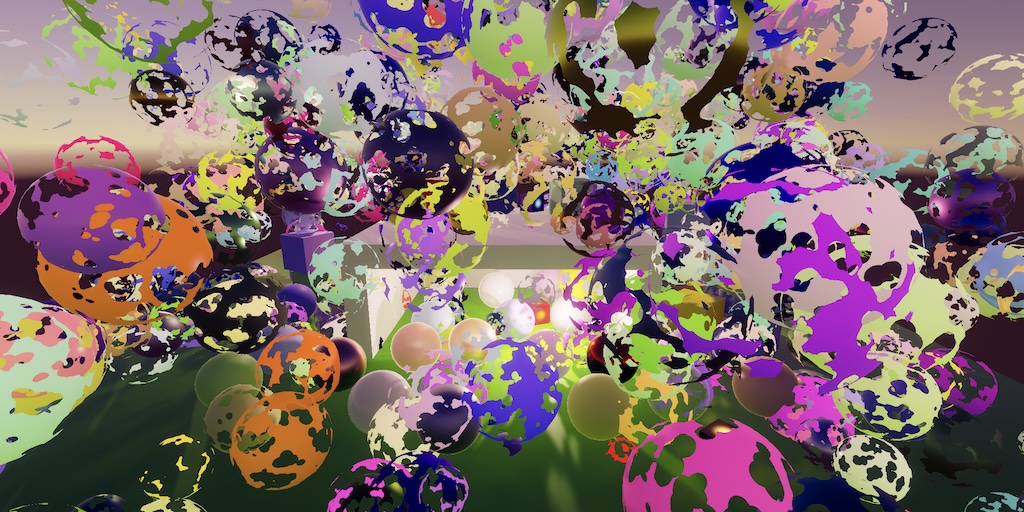
This Unity tutorial is made with Unity 6000.5.0f1 and follows Custom SRP 6.2.0.
Render Target Info
Unity 6.5 has recently been released and now we're migrating our RP to it. After upgrading our project to Unity 6.5 rendering will fail while we get a compiler error and some warnings. We'll deal with the error first to restore rendering functionality.
It is now required that we explicitly provide information about the render target we're importing, when invoking ImportBackbuffer in SetupPass.Record. This is done by including a RenderTargetInfo struct as a second argument.
We have to set the struct's width and height to the camera's pixelWidth and pixelHeight. Also set its volumeDepth to 1 to indicate that it's a 2D target. Set its msaaSamples to 1 because we're not targeting MSAA buffers. Finally, set its format to the GraphicsFormat of the target buffer. If we're rendering to a texture then it's that texture's graphicsFormat, otherwise it's the standard GraphicsFormat.R8G8B8A8_UNorm for frame buffers.
		var cameraTargetInfo = new RenderTargetInfo
		{
			width = camera.pixelWidth,
			height = camera.pixelHeight,
			volumeDepth = 1,
			msaaSamples = 1,
			format = targetTexture ?
				targetTexture.graphicsFormat : GraphicsFormat.R8G8B8A8_UNorm
		};
		TextureHandle target = renderGraph.ImportBackbuffer(
			targetTexture ?
				targetTexture : BuiltinRenderTextureType.CameraTarget,
			cameraTargetInfo);
ImportBackBuffer also has a third optional parameter for import resource parameters, but we can use its default values so omit it.
Rendering should now work again, though it might require a restart of Unity to get rid of garbage data so it functions correctly in play mode.
Renderer List Culling
Moving on to the warnings, we get one about renderer list culling not being supported anymore, explaining that synchronizing rendering with the culling system brings performance regressions in most cases. This means that passes that use renderer lists will no longer get culled if those lists end up empty, which should rarely happen anyway.
The only thing we have to do is no longer enable rendererListCulling for the RenderGraphParameters that we use in CameraRenderer.Render.
		var renderGraphParameters = new RenderGraphParameters
		{
			commandBuffer = CommandBufferPool.Get(),
			currentFrameIndex = Time.frameCount,
			executionId = camera.GetEntityId(),
			generateDebugData =
				camera.cameraType != CameraType.Preview &&
				!camera.isProcessingRenderRequest,
			// rendererListCulling = true,
			scriptableRenderContext = context
		};
But this also means that we no longer have to explicitly disallow pass culling for the SkyboxPass and GizmosPass. We needed to do that because their renderer lists always counted as empty, even though there were things to render. So let's remove the invocation of AllowPassCulling from both their Record methods.
// builder.AllowPassCulling(false);
Light Probe Proxy Volumes
The remaining warnings are about light probe proxy volumes, which have been deprecated and are no longer functional for SRPs. Our example MeshBall script supported an LPPV, but as it no longer works let's remove all code related to it.
// [SerializeField]// LightProbeProxyVolume lightProbeVolume = null;… void Update() { if (block == null) { block = new(); block.SetVectorArray(baseColorId, baseColors); block.SetFloatArray(metallicId, metallic); block.SetFloatArray(smoothnessId, smoothness);// if (!lightProbeVolume) { … }} Graphics.DrawMeshInstanced( mesh, 0, material, matrices, 1023, block, ShadowCastingMode.On, true, 0, null);//,// lightProbeVolume ?// LightProbeUsage.UseProxyVolume : LightProbeUsage.CustomProvided,// lightProbeVolume);}
I also removed the LPPV component from the Mesh Ball game object in the Baked Light Scene, as well as the two other LPPV game objects that were in that scene.
Let's also remove the now nonfunctional LPPV configuration flags from the RendererListDesc that we use in GeometryPass.Recored.
		pass.list = renderGraph.CreateRendererList(
			new RendererListDesc(shaderTagIDs, cullingResults, camera)
			{
				sortingCriteria = opaque ?
					SortingCriteria.CommonOpaque :
					SortingCriteria.CommonTransparent,
				rendererConfiguration =
					PerObjectData.ReflectionProbes |
					PerObjectData.Lightmaps |
					PerObjectData.ShadowMask€ |
					PerObjectData.LightProbe |
					PerObjectData.OcclusionProbe, //|
					// PerObjectData.LightProbeProxyVolume |
					// PerObjectData.OcclusionProbeProxyVolume,
				renderQueueRange = opaque ?
					RenderQueueRange.opaque : RenderQueueRange.transparent,
				renderingLayerMask = renderingLayerMask
			});
Then remove the dead LPPV code from the SampleLightProbe and SampleBakedShadows functions in GI.hlsl. The LPPV got activated based on unity_ProbeVolumeParams.x. We can also remove the unused SampleLightProbeOcclusion function while we're at it.
float3 SampleLightProbe(Surface surfaceWS)
{
	#if defined(LIGHTMAP_ON)
		return 0.0;
	#else
		// if (unity_ProbeVolumeParams.x) { … }
		// else {
		float4 coefficients[7];
		coefficients[0] = unity_SHAr;
		coefficients[1] = unity_SHAg;
		coefficients[2] = unity_SHAb;
		coefficients[3] = unity_SHBr;
		coefficients[4] = unity_SHBg;
		coefficients[5] = unity_SHBb;
		coefficients[6] = unity_SHC;
		return max(0.0, SampleSH9(coefficients, surfaceWS.normal));
		// }
	#endif
}

// float4 SampleLightProbeOcclusion(Surface surfaceWS)
// {
// 	return unity_ProbesOcclusion;
// }

float4 SampleBakedShadows(float2 lightMapUV, Surface surfaceWS)
{
	#if defined(LIGHTMAP_ON)
		return SAMPLE_TEXTURE2D(
			unity_ShadowMask, samplerunity_ShadowMask, lightMapUV
		);
	#else
		// if (unity_ProbeVolumeParams.x) { … }
		// else {
		return unity_ProbesOcclusion;
		// }
	#endif
}
And we no longer need the unity_ProbeVolumeSH texture.
// TEXTURE3D_FLOAT(unity_ProbeVolumeSH);// SAMPLER(samplerunity_ProbeVolumeSH);
Finally, we can also get rid of the four unity_ProbeVolume… fields of the UnityPerDraw constant buffer in UnityInpht.hlsl.
CBUFFER_START(UnityPerDraw) …// float4 unity_ProbeVolumeParams;// float4x4 unity_ProbeVolumeWorldToObject;// float4 unity_ProbeVolumeSizeInv;// float4 unity_ProbeVolumeMin;CBUFFER_END
With LPPV gone we can no longer blend probe-based global illumination per fragment. Unity's Adaptive Probe Volumes system supersedes LPPVs and is also meant to replace the old per-object probe system. We'll add support for it in the future.
Remove Deprecated Settings
We wrap up our upgrade by getting rid of some old deprecated configuration options of ShadowSettings that we stopped using a while ago. These are the old cascade blend mode for directional shadows and the separate filter modes for both directional and other shadows.
	[System.Serializable]
	public struct Directional
	{
		…

		// [Header("Deprecated Settings"), Tooltip("Use new boolean toggle.")]
		// public CascadeBlendMode cascadeBlend;

		// [Tooltip("Use new Filter Quality.")]
		// public FilterMode filter;
	}

	public Directional directional = new()
	{
		…
		cascadeFade = 0.1f //,
		// cascadeBlend = Directional.CascadeBlendMode.Hard
	};

	[System.Serializable]
	public struct Other
	{
		public MapSize atlasSize;

		// [Header("Deprecated Settings"), Tooltip("Use new Filter Quality.")]
		// public FilterMode filter;
	}
The next tutorial is Custom SRP 7.1.0.
license repository PDF