Value Noise
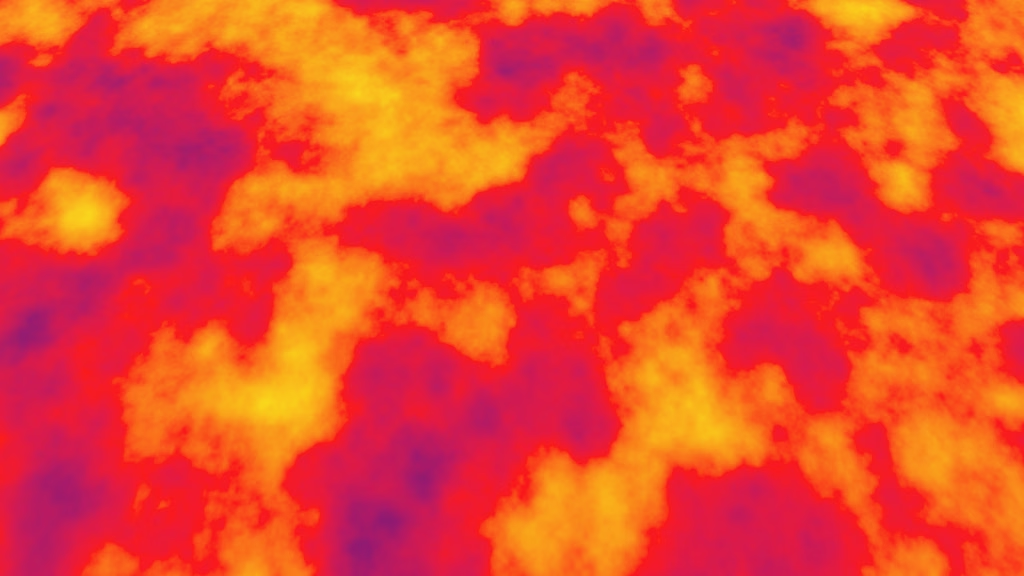
This is the seventh Godot tutorial in a series that covers the creation of procedural patterns on the GPU with shaders, using the Godot Engine, version 4.7. It follows Animating Octaves and introduces value noise.
Starting Scene and Shader
Our current hash noise produces blocky patterns, but most of the time a smooth pattern without harsh edges is desired. So we'll take the basis of our hash pattern and add blending to it. This will still produce a blocky pattern, but the blocks will smoothly blend with each other. The resulting pattern is known as value noise.
Duplicate hashing.tscn
and name it value_noise_plane.tscn
Give the plane a new material with a new value_noise.gdshader
, which is a simplified version of hashing.gdshader
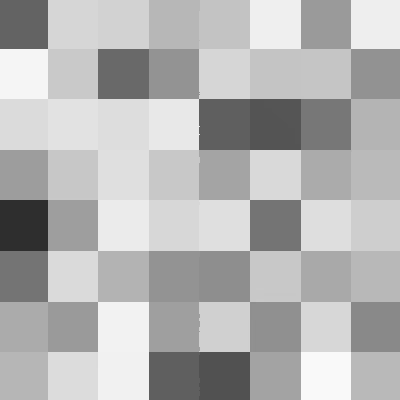
. We strip away the animation and visualization options, reducing it to a static grayscale pattern. Name the sample pattern function sample_value_noise().
shader_type spatial;

uniform uint hash_seed = 0u;

#define USE_STANDARD_FRACTAL_PATTERN_SETTINGS
#include "res://shader_library/fractal_pattern_settings.gdshaderinc"

#include "res://shader_library/pattern_sample.gdshaderinc"
#include "res://shader_library/hasher.gdshaderinc"

PatternSample sample_value_noise(
		int octave,
		float frequency,
		vec2 uv,
		float time
) {
	vec2 coordinates = floor(frequency * uv);
	Hasher h = hasher(hash_seed + uint(octave));
	h = hasher(h, coordinates.x);
	h = hasher(h, coordinates.y);
	uint hash = hash(h);
	PatternSample s = zero_pattern_sample();
	s.v = hash_to_float(hash);
	return s;
}

#define SAMPLE_PATTERN_FUNCTION sample_value_noise
#include "res://shader_library/fractal_pattern.gdshaderinc"

void fragment() {
	PatternSample pattern_sample = sample_fractal_pattern(
			standard_fractal_pattern_settings(),
			UV - 0.5,
			TIME
	);
	ALBEDO = vec3(pattern_sample.v);
}
Because we're not using the hash_to_vec2() and hash_to_vec3() functions from hashing.gdshaderinc
we get warnings that they are declared but never used. You can either ignore these harmless warnings or turn them off for all shader files, as described in the previous tutorial.
Mixing Two Hashes
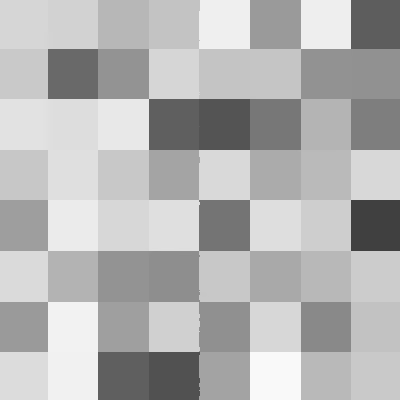
Our hash pattern consists of blocks that each have a single hash value. If we want to blend these values we have to calculate the hash values of adjacent blocks in sample_value_noise(). To do so we have to create a hash with shifted coordinates. To demonstrate this let's add 1 to the X coordinate while generating the hash. This gets us the hash of the block one step to the right, so the resulting pattern will shift one step to the left.
	Hasher h = hasher(hash_seed + uint(octave));
	h = hasher(h, coordinates.x + 1.0);
	h = hasher(h, coordinates.y);
To be able to blend the hashes for X and X + 1 we have to calculate both. As these are floored coordinates they're associated with the left side of their blocks. The fractional parts of the coordinates go from 0 to 1 across the width of the block. So let's name the hasher that we get from the X coordinate h0 and the one that we get from the X + 1 coordinate h1. Then feed the Y coordinate to both separately to get the final hashers.
	Hasher h0 = hasher(h, coordinates.x);
	Hasher h1 = hasher(h, coordinates.x + 1.0);
	h0 = hasher(h0, coordinates.y);
	h1 = hasher(h1, coordinates.y);
Derive the two final hash values from these, naming them hash0 and hash1.
	uint hash0 = hash(h0);
	uint hash1 = hash(h1);
	PatternSample s = zero_pattern_sample();
	s.v = hash_to_float(hash0);
We can use the fractional coordinates to blend these two values. We get the fractional coordinates by subtracting the floored coordinates from the original sample coordinates. The floored coordinates are also known as the lattice coordinates, which are the coordinates where the lattice edges between grid blocks cross.
	vec2 sample_coordinates = frequency * uv;
	vec2 lattice_coordinates = floor(sample_coordinates);
	vec2 fractional_coordinates = sample_coordinates - lattice_coordinates;
	Hasher h = hasher(hash_seed + uint(octave));
	Hasher h0 = hasher(h, lattice_coordinates.x);
	Hasher h1 = hasher(h, lattice_coordinates.x + 1.0);
	h0 = hasher(h0, lattice_coordinates.y);
	h1 = hasher(h1, lattice_coordinates.y);
Before we actually blend the values let's pick the one that's closest to the sample point.
	float v0 = hash_to_float(hash0);
	float v1 = hash_to_float(hash1);
	PatternSample s = zero_pattern_sample();
	s.v = fractional_coordinates.x < 0.5 ? v0 : v1;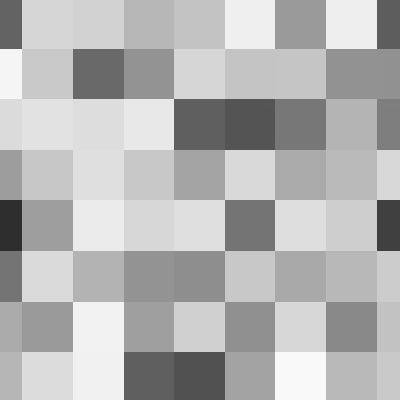
The resulting pattern is the original shifted by half a block. The hash values are now centered on the lattice points instead of uniformly filling the grid blocks.
To blend the values across the block we pass them to mix() with the fractional coordinate as the interpolator.
s.v = mix(v0, v1, fractional_coordinates.x);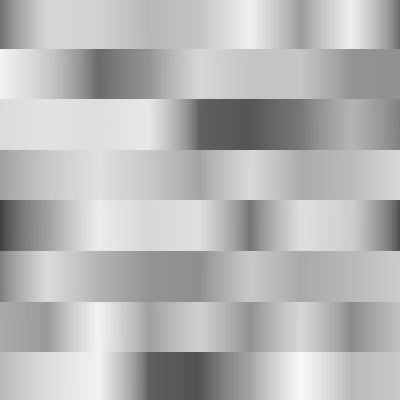
Mixing Four Hashes
To blend the entire pattern we have to repeat what we did, but shifted along Y. That gives us four hashes for the four lattice points at the corners of the block.
The existing v0 and v1 become v00 and v10. Then we add v01 and v11. The same goes for all the intermediate steps.
	Hasher h0 = hasher(h, lattice_coordinates.x);
	Hasher h1 = hasher(h, lattice_coordinates.x + 1.0);
	Hasher h00 = hasher(h0, lattice_coordinates.y);
	Hasher h10 = hasher(h1, lattice_coordinates.y);
	Hasher h01 = hasher(h0, lattice_coordinates.y + 1.0);
	Hasher h11 = hasher(h1, lattice_coordinates.y + 1.0);
	uint hash00 = hash(h00);
	uint hash10 = hash(h10);
	uint hash01 = hash(h01);
	uint hash11 = hash(h11);
	float v00 = hash_to_float(hash00);
	float v10 = hash_to_float(hash10);
	float v01 = hash_to_float(hash01);
	float v11 = hash_to_float(hash11);
	PatternSample s = zero_pattern_sample();
	s.v = mix(v00, v10, fractional_coordinates.x);
We can then shift the partially-blended pattern one block upward by blending the new values instead of the old ones.
s.v = mix(v01, v11, fractional_coordinates.x);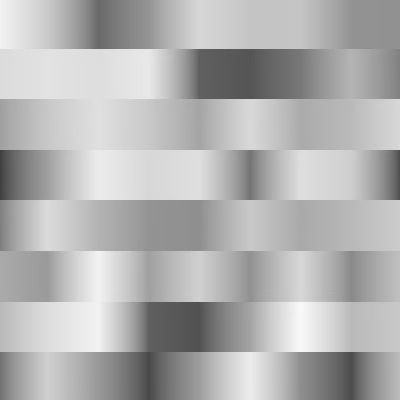
And we can again shift by only half a block by picking the closest one.
	s.v = fractional_coordinates.y < 0.5 ?
			mix(v00, v10, fractional_coordinates.x) :
			mix(v01, v11, fractional_coordinates.x);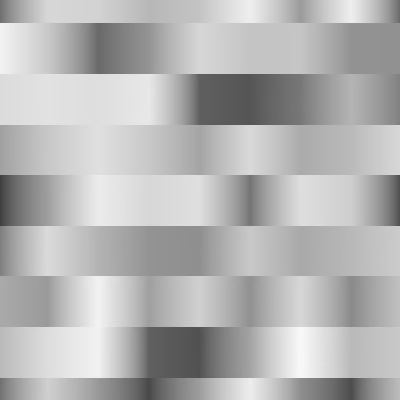
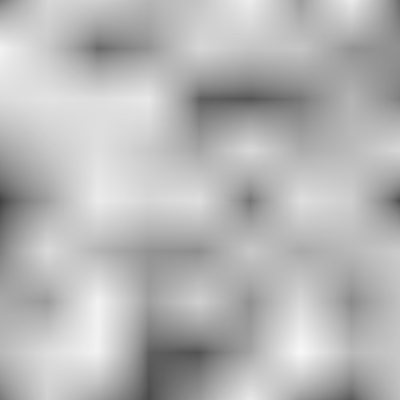
Finally, we get the fully blended pattern by blending the two blended value pairs.
	s.v = mix(
			mix(v00, v10, fractional_coordinates.x),
			mix(v01, v11, fractional_coordinates.x),
			fractional_coordinates.y
	);
Smooth Mixing
The blended pattern doesn't look good. To diagnose this problem let's carefully examine how we blend. We're using mix(), which performs standard linear interpolation between two values, using an interpolator value that goes from 0 to 1. The standard mathematical definition is this:
So the first value starts at full strength and the second value starts at zero. The first value decreases at the same speed that the second value increases, until the situation is reversed. We can rewrite and rephrase this: we start with the first value, then subtract it scaled with the interpolator, while we add the second value scaled the same way:
Simplifying further: we define a line offset by the first value, with a slope equal to the second value minus the first value:
If we set the two values to 0 and 1 for simplicity this reduces to a diagonal line:
So our pattern consists of straight line segments. To analyze this further let's draw two such lines for two adjacent blocks, mixing the values 0, 1, and 0:
This doesn't look good because we get linear segments with sudden direction changes between them. If we can replace this with a smooth curve the pattern would look better. Fortunately there is the smoothstep function, which changes a linear transition between 0 and 1 into a smooth curve:
We can upgrade our linear mix function into a smooth mix function by simply passing the interpolator value through the smoothstep function:
To apply this to sample_value_noise() first introduce a intermediate variable for the fractional coordinates before we used them to interpolate.
	vec2 t = fractional_coordinates;
	s.v = mix(
			mix(v00, v10, t.x),
			mix(v01, v11, t.x),
			t.y
	);
Then insert the smoothstep() function. It has three parameters, the first two defining the value range to smooth. In our case the range is 0–1.
vec2 t = smoothstep(0.0, 1.0, fractional_coordinates);
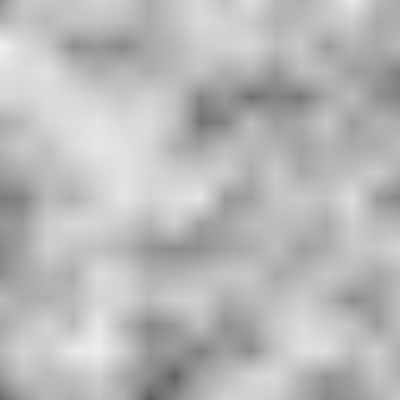
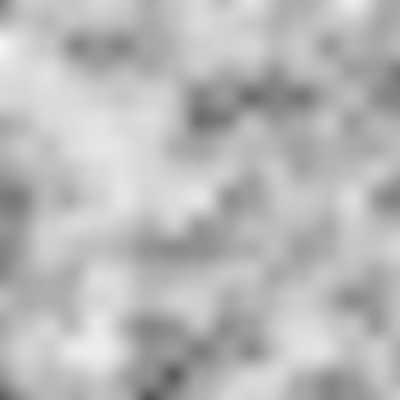
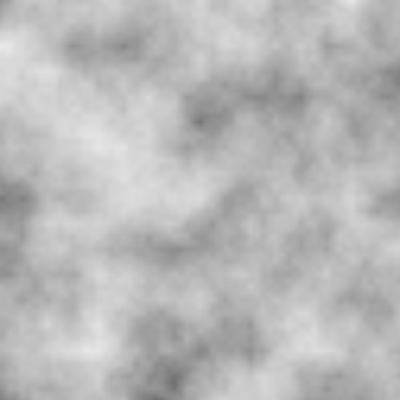
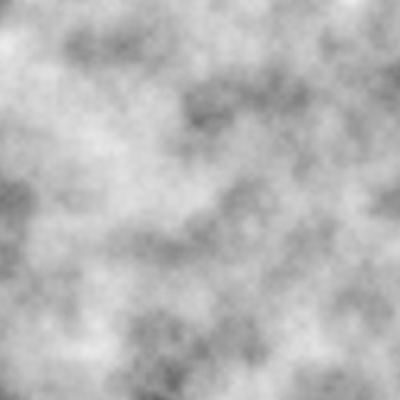
The resulting pattern is indeed smooth and also more pronounced, because the transition curve is flatter near lattice points and steeper in between them.
What about the smoothness of derivatives?
We'll cover derivatives in the next tutorial.
Coloring the Noise
Let's add some color to the pattern. We could split our pattern into three separate hash values per color channel, like we do for the hash noise, but this isn't very useful in general. Instead we'll colorize the monochrome pattern instead, like we do for the sine waves pattern. First, we add a toggle to control whether the pattern is colored.
uniform uint hash_seed = 0u;
uniform bool colored = true;
Then we add a colorize() function, which returns either a colored or monochrome value. Initially both options are monochrome.
vec3 colorize(float v) {
	if (colored) {
		return vec3(v);
	}
	else {
		return vec3(v);
	}
}

void fragment() {
	PatternSample pattern_sample = sample_fractal_pattern(
			standard_fractal_pattern_settings(),
			UV - 0.5,
			TIME
	);
	ALBEDO = colorize(pattern_sample.v);
}
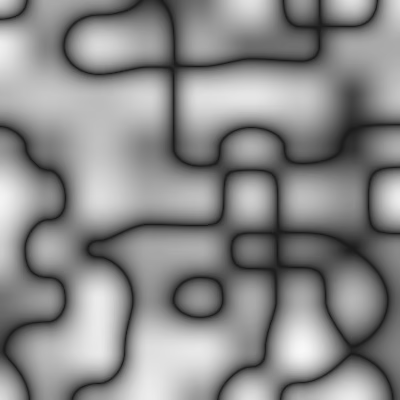
We colorized the sine waves by checking the sign of the value and making negative values red. We'll again split the pattern into two gradients, but in this case we're working with a value range that goes from 0 to 1, so we have to slightly alter our approach. We begin by doubling the value. Then if it's greater than 1 we'll turn it into a gradient from black to white, by subtracting 1 from the value. Otherwise we create a gradient that goes from white to black, by subtracting the value from 1. This converts the original single 0–1 gradient into a double 1–0–1 gradient.
	if (colored) {
		v *= 2.0;
		if (v > 1.0) {
			return vec3(v - 1.0);
		}
		else {
			return vec3(1.0 - v);
		}
	}
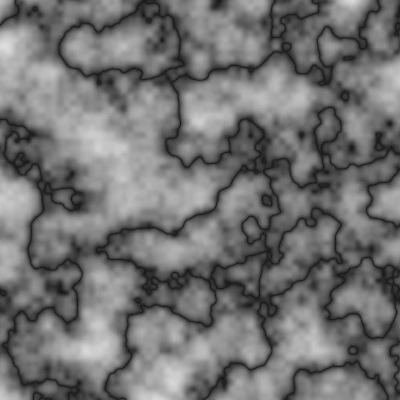
For the sine waves we always made the lower half of the gradient green, so it goes from green to black to white. Let's now make these three colors configurable, adding uniform vec3 variables for a min, a mid, and a max color, using red, black, and white as the default colors. By adding the source_color hint to them the inspector will display them as colors.
uniform bool colored = true;
uniform vec3 color_min : source_color = vec3(1.0, 0.0, 0.0);
uniform vec3 color_mid : source_color = vec3(0.0);
uniform vec3 color_max : source_color = vec3(1.0);
Replace the fixed monochrome gradients with mixing the appropriate colors. Note that we now only need to adjust the doubled value when it's greater than one, otherwise we can directly use it as an interpolator.
		if (v > 1.0) {
			return mix(color_mid, color_max, v - 1.0);
		}
		else {
			return mix(color_min, color_mid, v);
		}
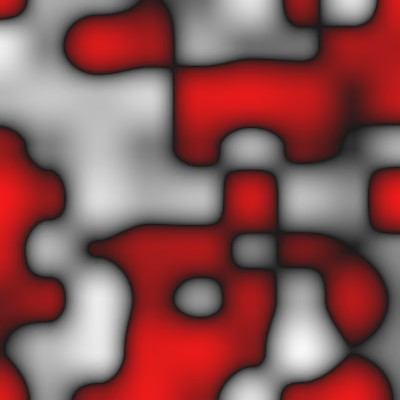
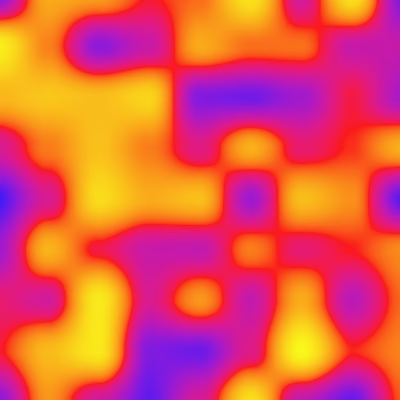
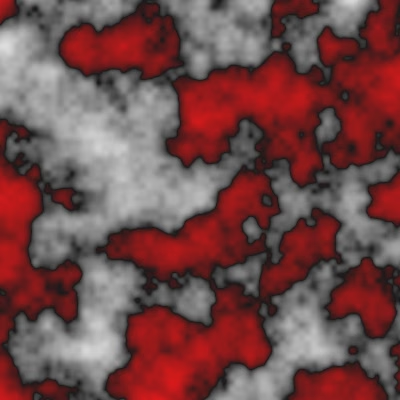
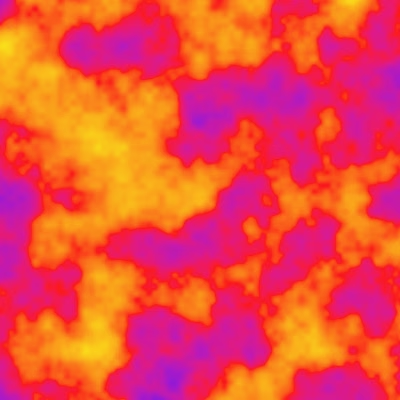
Now we can get a colored pattern and adjust its colors as desired. As an example I used blue, red, and yellow.
Animation
We'll also support animation, so include the standard animation settings.
#define USE_STANDARD_FRACTAL_PATTERN_SETTINGS
#define USE_FRACTAL_PATTERN_ANIMATION_SETTINGS
#include "res://shader_library/fractal_pattern_settings.gdshaderinc"
Because we now have to animate four values instead of one let's introduce an animated_hash_to_float() function that takes a hasher and a time to produce the desired value, then use it to get the final four values in sample_value_noise(). We start with including the floored time in the hash, without a staggered time offset.
float animated_hash_to_float(Hasher h, float t) {
	return hash_to_float(hash(hasher(h, floor(t))));
}

PatternSample sample_value_noise(…) {
	…
	//uint hash00 = hash(h00);
	//uint hash10 = hash(h10);
	//uint hash01 = hash(h01);
	//uint hash11 = hash(h11);
	float v00 = animated_hash_to_float(h00, time);
	float v10 = animated_hash_to_float(h10, time);
	float v01 = animated_hash_to_float(h01, time);
	float v11 = animated_hash_to_float(h11, time);
	…
}This produces the same sudden transition as for hash noise, resulting in a slideshow. But because value noise is smooth we also want its animation to be smooth. This requires us to get the value for two floored time values, the current one and the next one. Then we mix those based on fractional part of the time.
float animated_hash_to_float(Hasher h, float t) {
	float t0 = floor(t);
	float t1 = t0 + 1.0;
	float v0 = hash_to_float(hash(hasher(h, t0)));
	float v1 = hash_to_float(hash(hasher(h, t1)));
	return mix(v0, v1, t - t0);
}The result is linear animation between successive time values. Just like linear interpolation between adjacent lattice points this creates sudden changes in direction. To smooth these transitions we once again make use of the smoothstep function.
return mix(v0, v1, smoothstep(0.0, 1.0, t - t0));Now that animation works smoothly we can introduce the same time stagger offset that we support for hash noise to make the animation look even better. Calculate the time stagger and put it in a variable, then add it to the time before generating the values in sample_value_noise().
	float time_stagger = fract(
			(lattice_coordinates.x + lattice_coordinates.y) * 0.5
	);
	time += time_stagger;
	float v00 = animated_hash_to_float(h00, time);
	float v10 = animated_hash_to_float(h10, time);
	float v01 = animated_hash_to_float(h01, time);
float v11 = animated_hash_to_float(h11, time);This doesn't work because the offset is per block while we need it per individual lattice point. But we don't need to calculate it four times, because we're using a checkered pattern for the offset, so lattice points along the diagonals share the same offset.
The time stagger offset that we currently have is correct for v00 and thus also for v11. This offset is always either 0 or 0.5. So the offset for the other two values is equal to 0.5 minus the stagger offset that we already calculated. Note that this also means that the purely time-specific calculations in animated_hash_to_float() (the flooring and addition) can get optimized by the shader compiler to happen only twice.
	//time += time_stagger;
	float timeA = time + time_stagger;
	float timeB = time + (0.5 - time_stagger);
	float v00 = animated_hash_to_float(h00, timeA);
	float v10 = animated_hash_to_float(h10, timeB);
	float v01 = animated_hash_to_float(h01, timeB);
	float v11 = animated_hash_to_float(h11, timeA);
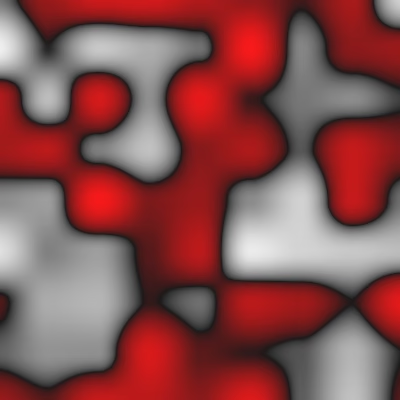
Because staggered animation is so much better than uniform animation we won't include a toggle option for it and simply always use it. We will add a toggle for animation in general, so the pattern can be easily frozen. When animation is disabled we won't include the time in the hash, so the result will be different than just setting base animation to zero. Also, this means that when animation is disabled we won't get the staggered time offset, so all lattice point values are at full strength, instead of half being mid-transition.
uniform bool animation = true;
uniform bool colored = true;
…

float animated_hash_to_float(Hasher h, float t) {
	if (animation) {
		float t0 = floor(t);
		float t1 = t0 + 1.0;
		float v0 = hash_to_float(hash(hasher(h, t0)));
		float v1 = hash_to_float(hash(hasher(h, t1)));
		return mix(v0, v1, smoothstep(0.0, 1.0, t - t0));
	}
	else {
		return hash_to_float((hash(h)));
	}
}
The next tutorial is Value Noise Derivatives.