
Hex Map 5.7
Set Terrain Type Burst Job
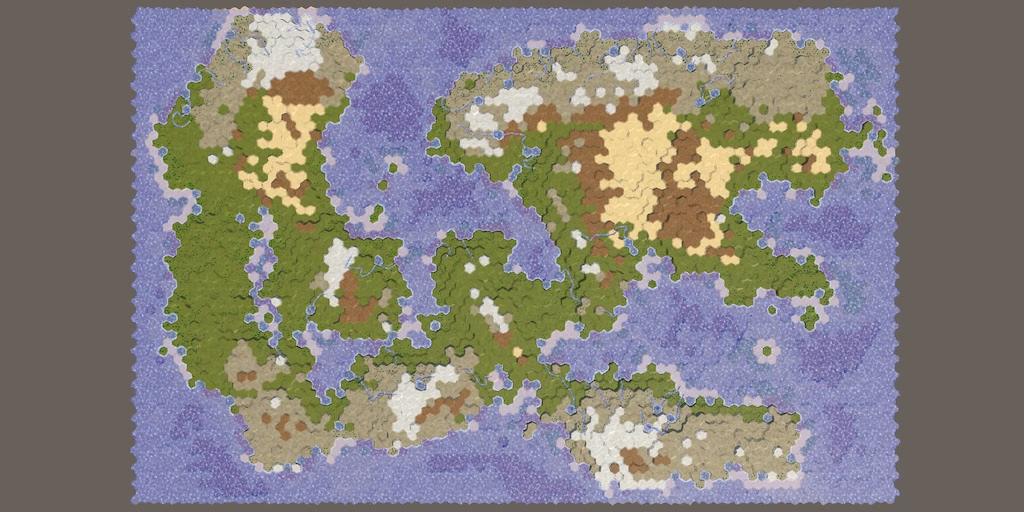
This tutorial is made with Unity 6000.3.23f1 and follows Hex Map 5.6.
Caching Noise Samples
We continue to modernize the map generation process and this time we convert SetTerrainTypeJob to a true Burst job. So it's going to rely on a few more namespaces.
using System.Collections.Generic;
using Unity.Burst;
using Unity.Collections;
using Unity.Jobs;
using UnityEngine;
The difficulty with this job is that it relies on HexMetrics.SampleNoise, which samples our noise texture. Fortunately this is only needed once per cell position. Thus we take the simplest approach and pull the sampling out of the job, caching all noise samples in a native array that we add to the job.
	[ReadOnly]
	NativeArray<float> noiseSamples;
Allocate the native array in the static Execute method before creating the job. Fill it based on the cell positions, which we'll request separately from the grid via a new Vector3[] parameter. We also return the array so it can be disposed later.
We need a single random value to pick the noise channel, but as we now do this outside the job that's not a problem.
//int temperatureJitterChannel;… public static void Execute( HexGrid grid, Vector3[] cellPositions, MapGeneratorSettings settings, List<CreateClimateJob.ClimateData> climate, int cellCount, out NativeArray<float> noiseSamples) { int temperatureJitterChannel = Random.Range€(0, 4); noiseSamples = new NativeArray<float>( cellPositions.Length, Allocator.TempJob, NativeArrayOptions.UninitializedMemory); for (int i = 0; i < cellPositions.Length; i++) { noiseSamples[i] = HexMetrics.SampleNoise( cellPositions[i] * 0.1f)[temperatureJitterChannel]; } var job = new SetTerrainTypeJob() { noiseSamples = noiseSamples, grid = grid, settings = settings, climate = climate,//temperatureJitterChannel = Random.Range(0, 4),rockDesertElevation = settings.elevationMaximum - (settings.elevationMaximum - settings.waterLevel) / 2 }; for (int i = 0; i < cellCount; i++) { job.Execute(i); } }
In DetermineTemperature we now simply retrieve the cached sample.
float jitter = noiseSamples[cellIndex];
Adjust ExperimentalMapGenerator.GenerateMap so it passes the positions to the job and disposes the noise samples.
		SetTerrainTypeJob.Execute(
			grid,
			grid.CellPositions,
			settings,
			climate,
			cellCount,
			out NativeArray<float> noiseSamples);
		noiseSamples.Dispose();
Native Cell Data
Like the previous time we have to replace HexGrid with native cell data and a HexMapInfo struct value in SetTerrainTypeJob. We also again remove the cellCount paramater from Execute.
//HexGrid grid;NativeArray<HexCellData> cellData; HexMapInfo info; … public static void Execute(//HexGrid grid,NativeArray<HexCellData> cellData, HexMapInfo info, Vector3[] cellPositions, MapGeneratorSettings settings, List<CreateClimateJob.ClimateData> climate,//int cellCount,out NativeArray<float> noiseSamples) { … var job = new SetTerrainTypeJob() {//grid = grid,cellData = cellData, info = info, … }; for (int i = 0; i < cellData.Length; i++) { job.Execute(i); } }
Make the Execute instance method work with the native cell data array. We now have to assign the whole data package back to the native array.
	void Execute(int index)
	{
		HexCellData cell = cellData[index];
		float temperature = DetermineTemperature(index, cell);
		cell.values = !cell.IsUnderwater ?
			GetLandValues(cell, temperature, climate[index].moisture) :
			GetUnderwaterValues(cell, temperature);
		cellData[index] = cell;
	}
DetermineTemperature has to retrieve the Z size from the new info struct.
float latitude = (float)cell.coordinates.Z / info.size.y;
And in GetUnderwaterValues we also use the native cell data and rely on the info struct to get the neighbor index.
				if (!info.TryGetNeighborCellIndex(
					cell.coordinates, d, out int neighborIndex))
				{
					continue;
				}
				int delta = cellData[neighborIndex].Elevation - cell.WaterLevel;
ExperimentalMapGenerator.GenerateMap now has to delay disposing the native cell data until after SetTerrainTypeJob is finished. The cell data has to again be copied to the native data before that job and back to the managed array afterwards.
//cellData.Dispose();List<CreateClimateJob.ClimateData> climate = ListPool<CreateClimateJob.ClimateData>.Get(); climate.AddRange(climateNA); climateNA.Dispose(); CreateRiversJob.Execute(grid, settings, climate, cellCount, landCells); cellData.CopyFrom(grid.CellData); SetTerrainTypeJob.Execute(//grid,cellData, info, grid.CellPositions, settings, climate,//cellCount,out NativeArray<float> noiseSamples); noiseSamples.Dispose(); cellData.CopyTo(grid.CellData); cellData.Dispose(); ListPool<CreateClimateJob.ClimateData>.Add(climate); grid.RefreshAllCells();
Native Climate Data
We're also going to pass the native climate data to the job, so delay disposing it after the job is completed.
List<CreateClimateJob.ClimateData> climate = ListPool<CreateClimateJob.ClimateData>.Get(); climate.AddRange(climateNA);//climateNA.Dispose();CreateRiversJob.Execute(grid, settings, climate, cellCount, landCells); cellData.CopyFrom(grid.CellData); SetTerrainTypeJob.Execute( cellData, info, grid.CellPositions, settings, climateNA, out NativeArray<float> noiseSamples); noiseSamples.Dispose(); climateNA.Dispose();
We only have to change the type of the climate data in SetTerrainTypeJob. I also moved its field below the settings field that we already have.
//using System.Collections.Generic;…//List<CreateClimateJob.ClimateData> climate;int rockDesertElevation; [ReadOnly] NativeArray<CreateClimateJob.ClimateData> climate; public static void Execute( … NativeArray<CreateClimateJob.ClimateData> climate, out NativeArray<float> noiseSamples) { … }
Settings
Again we replace MapGeneratorSettings with fields for the specific settings that we need.
//MapGeneratorSettings settings;float lowTemperature, highTemperature, temperatureJitter, waterLevel; int elevationMaximum, rockDesertElevation; MapGeneratorSettings.HemisphereMode hemisphere;
Set up these fields when creating the job and remove the settings. prefix from all usage of them everywhere else (not shown).
Burst Job
It is now possible to turn the job into a true Burst job, like we did with the other jobs that we converted earlier. We make it an IJobFor, like InitializeMapJob.
[BurstCompile]
public struct SetTerrainTypeJob : IJobFor
{
	…

	public static JobHandle Schedule(
		…
		JobHandle dependency,
		out NativeArray<float> noiseSamples)
	{
		…

		return new SetTerrainTypeJob()
		{
			…
		}.ScheduleParallel(cellData.Length, cellData.Length / 8, dependency);

		//for (int i = 0; i < cellData.Length; i++) { … }
	}

	public void Execute(int index) { … }

	…
}
One difference with a regular parallel job is that this one reads neighbor cell data for underwater cells. To allow this we have to disable the standard parallel job access restrictions for the cell data, via the NativeDisableParallelForRestriction attribute. This works because we're only reading neighbor data that remains constant, so there will be no race conditions.
	[NativeDisableParallelForRestriction]
	NativeArray<HexCellData> cellData;
Schedule the job in ExperimentalMapGenerator.GenerateMap and again immediately complete it. Once all jobs have become true Burst jobs we will finally be able to create a proper dependency chain.
		SetTerrainTypeJob.Schedule(
			cellData,
			info,
			grid.CellPositions,
			settings,
			climateNA,
			default,
			out NativeArray<float> noiseSamples).Complete();
We will convert the remaining mock jobs in the future.
license repository PDF