
Hex Map 5.6
Create Climate Burst Job
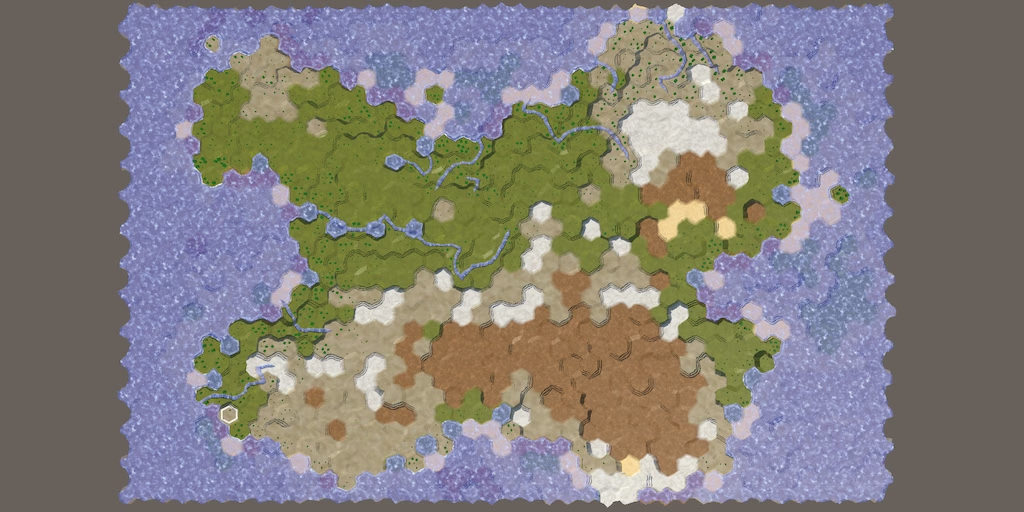
This tutorial is made with Unity 6000.3.23f1 and follows Hex Map 5.5.0.
Native Cell Data
Last time we converted InitializeMapJob into a true Burst job. The second job that we will convert is CreateClimateJob. We skip the two jobs in between them because those rely on random numbers, which requires special treatment that we will take care of later. This time the job is more complex and requires more changes to make things work with Burst. We'll modify the code stepwise while ensuring that everything keeps working as before. At the end of each section everything should still be fully functional and produce the same results.
To make conversion to a Burst job possible we again have to work with the cell data as a native array, so add a field for it to the job. In this case we're only reading from it.
using System.Collections.Generic;
using Unity.Collections;

public struct CreateClimateJob
{
	[ReadOnly]
	NativeArray<HexCellData> cellData;

	…
}
Set it via the static Execute method.
	public static void Execute(
		NativeArray<HexCellData> cellData,
		HexGrid grid,
		…)
	{
		…
		new CreateClimateJob()
		{
			cellData = cellData,
			grid = grid,
			…
		}.Execute();
		…
	}
And retrieve the cell data from it in EvolveClimate instead of going through the grid.
	void EvolveClimate(int cellIndex)
	{
		HexCellData cell = cellData[cellIndex];
		…
		for (HexDirection d = HexDirection.NE; d <= HexDirection.NW; d++)
		{
			…
			int elevationDelta = cellData[neighborIndex].ViewElevation -
				cell.ViewElevation;
			…
		}
		…
	}
Then pass the native array to the job in ExperimentalMapGenerator.GenerateMap. Because the two mock jobs before it modified the cell data we have to copy it back to the native array and postpone its disposal until after this job is finished.
cellData.CopyTo(grid.CellData);//cellData.Dispose();CreateLandJob.Execute( grid, settings, cellCount, out int landCells); ErodeLandJob.Execute(grid, settings, cellCount); cellData.CopyFrom(grid.CellData); CreateClimateJob.Execute( cellData, grid, settings, cellCount, out List<CreateClimateJob.ClimateData> climate); cellData.Dispose();
Hex Coordinates
The job works with HexCoordinates, using it to visit cell neighbors. To make HexCoordinates work more smoothly with Burst for that let's replace its x and z fields with a single int2 xz field. The X coordinate then becomes xz.x and the Z coordinate becomes xz.y.
using System.IO;
using Unity.Mathematics;
using UnityEngine;

[System.Serializable]
public struct HexCoordinates
{
	[SerializeField]
	//private int x, z;
	private int2 xz;

	public readonly int X => xz.x;

	public readonly int Z => xz.y;

	…
}
Change all usage of the old x or z fields with the X or Z properties when getting them. When assigning to them instead assign to xz.x or xz.y (not shown).
The HexCoordinates functionality that we need is currently not compatible with Burst jobs because it relies on HexMetrics.wrapSize, which is a variable static field, unsupported by Burst. It is used in the constructor to perform map wrapping. To get around this add a variant constructor method with parameters for xz and the wrap size.
	public HexCoordinates(int2 xz, int wrapSize)
	{
		if (wrapSize > 0)
		{
			int oX = xz.x + xz.y / 2;
			if (oX < 0)
			{
				xz.x += wrapSize;
			}
			else if (oX >= wrapSize)
			{
				xz.x -= wrapSize;
			}
		}
		this.xz = xz;
	}
We keep the old constructor for the non-Burst code, but we can simplify it by forwarding to the new constructor.
	public HexCoordinates(int x, int z) :
		this(new int2(x, z), HexMetrics.wrapSize) {}
We also have to adapt the Step method, which constructs new coordinates. Because we're now using an int2 field we can perform the step efficiently by adding an int2 offset. We can store these offsets in a static readonly array, which Burst does support as long as its initialization is compile-time constant.
	private static readonly int2[] neighborOffsets = {
		new(0, 1), new(1, 0), new(1, -1), new(0, -1), new(-1, 0), new(-1, 1)
	};
Now we can add a simple Step method with parameters for the direction and wrap size. We again keep the old method but make it forward to the new one.
	public readonly HexCoordinates Step(HexDirection direction) =>
		Step(direction, HexMetrics.wrapSize);

	public readonly HexCoordinates Step(HexDirection direction, int wrapSize) =>
		new(xz + neighborOffsets[(int)direction], wrapSize);
As a final adjustment let's also add a convenient OffsetCoordinates property to convert from hex to offset coordinates.
public readonly int2 OffsetCoordinates => new(X + Z / 2, Z);
Hex Map Info
Our job will no longer be able to use the HexGrid class, but we do need its functionality to get neighbor cell indices. We also need to know the wrap size of the map. Let's introduce a new readonly HexMapInfo struct that provides both.
Give it public readonly fields for the int2 map size and int wrap size and a constructor to initialize them. We keep track of the wrap size but can suffice with a bool wrapping parameter, because when wrapping is disabled we set the wrap size to zero. Lets include two constructor methods, one with an int2 size and convenient second one with separate parameters for x and z, which forwards to the other one.
Copy the TryGetCellIndex method from HexGrid and adapt it to work inside HexMapInfo, also taking advantage of the new HexCoordinates.OffsetCoordinates property. Let's also include a convenient TryGetNeighborCellIndex method with an additional parameter for the neighbor direction, which takes care of invoking Step with the correct wrap size.
using Unity.Mathematics;

public readonly struct HexMapInfo
{
	public readonly int2 size;

	public readonly int wrapSize;

	public HexMapInfo(int x, int z, bool wrapping) :
		this(new int2(x, z), wrapping) {}

	public HexMapInfo(int2 size, bool wrapping)
	{
		this.size = size;
		wrapSize = wrapping ? size.x : 0;
	}

	public readonly bool TryGetCellIndex(
		HexCoordinates coordinates,
		out int cellIndex)
	{
		int2 o = coordinates.OffsetCoordinates;
		if (o.y < 0 || o.y >= size.y || o.x < 0 || o.x >= size.x)
		{
			cellIndex = -1;
			return false;
		}
		cellIndex = o.x + o.y * size.x;
		return true;
	}

	public readonly bool TryGetNeighborCellIndex(
		HexCoordinates coordinates,
		HexDirection neighborDirection,
		out int neighborIndex) => TryGetCellIndex(
			coordinates.Step(neighborDirection, wrapSize),
			out neighborIndex);
}
Replace the grid field of CreateClimateJob with a new info field. While we're at it, let's also remove the field for the cell count.
//HexGrid grid;HexMapInfo info; …//int cellCount;
Adjust the static Execute method to match.
public static void Execute( NativeArray<HexCellData> cellData,//HexGrid grid,HexMapInfo info, MapGeneratorSettings settings,//int cellCount,out List<ClimateData> climate) { climate = ListPool<ClimateData>.Get(); List<ClimateData> nextClimate = ListPool<ClimateData>.Get(); new CreateClimateJob() { cellData = cellData,//grid = grid,info = info, settings = settings, climate = climate, nextClimate = nextClimate//,//cellCount = cellCount}.Execute(); ListPool<ClimateData>.Add(nextClimate); }
Replace the cell count with cellData.Length in the instance Execute method.
	void Execute()
	{
		…
		for (int i = 0; i < cellData.Length; i++) { … }

		for (int cycle = 0; cycle < 40; cycle++)
		{
			for (int i = 0; i < cellData.Length; i++) { … }
			(nextClimate, climate) = (climate, nextClimate);
		}
	}
And replace grid.TryGetCellIndex with info.TryGetNeighborIndex in EvolveClimate.
			if (!info.TryGetNeighborCellIndex(
				cell.coordinates, d, out int neighborIndex))
			{
				continue;
			}
Create the needed info at the start of ExperimentalMapGenerator.GenerateMap and pass it to CreateClimateJob.
HexMapInfo info = new(x, z, wrapping); Random.State originalRandomState = Random.state; … CreateClimateJob.Execute( cellData,//grid,info, settings,//cellCount,out List<CreateClimateJob.ClimateData> climate);
Native Climate Arrays
Because CreateClimateJob can no longer use List for the climate data we replace it with NativeArray. However, the job only produces a single set of climate data, so we only keep its climate field and remove its nextClimate field.
//List<ClimateData> climate, nextClimate;NativeArray<ClimateData> climate;
Change the static Execute method so it allocates the climate array and assigns it to the job. We can skip initializing its memory. The other climate list is no longer needed here.
	public static void Execute(
		NativeArray<HexCellData> cellData,
		HexMapInfo info,
		MapGeneratorSettings settings,
		out NativeArray<ClimateData> climate)
	{
		climate = new(cellData.Length, Allocator.TempJob,
			NativeArrayOptions.UninitializedMemory);
		//List<ClimateData> nextClimate = ListPool<ClimateData>.Get();
		new CreateClimateJob()
		{
			cellData = cellData,
			info = info,
			settings = settings,
			climate = climate //,
			//nextClimate = nextClimate
		}.Execute();
		//ListPool<ClimateData>.Add(nextClimate);
	}
We cannot change the native array field of the job while it is running. We instead assign it to a climateA variable in the Execute instance method. Then we allocate the second temporary climate array here and assign it to a climateB variable. We initialize those arrays and then swap them each cycle. To make this work we'll have to pass the arrays to EvolveClimate.
	void Execute()
	{
		NativeArray<ClimateData> climateA = climate;
		NativeArray<ClimateData> climateB = new(climate.Length, Allocator.Temp,
			NativeArrayOptions.UninitializedMemory);

		…
		for (int i = 0; i < cellData.Length; i++)
		{
			climateA[i] = initialData;
			climateB[i] = clearData;
		}

		for (int cycle = 0; cycle < 40; cycle++)
		{
			for (int i = 0; i < cellData.Length; i++)
			{
				EvolveClimate(i, climateA, climateB);
			}
			(climateB, climateA) = (climateA, climateB);
		}
	}
Add the required parameters to EvolveClimate. By naming them climate and nextClimate we do not have to make further changes to the method.
	void EvolveClimate(
		int cellIndex,
		NativeArray<ClimateData> climate,
		NativeArray<ClimateData> nextClimate) { … }
The lists are gone, so we no longer use the generic collections namespace.
//using System.Collections.Generic;
ExperimentalMapGenerator.GenerateMap now gets the climate data as a native array. Because the jobs after that still works with lists we'll insert the climate data into a list and then dispose the native array.
		CreateClimateJob.Execute(
			cellData,
			info,
			settings,
			out NativeArray<CreateClimateJob.ClimateData> climateNA);

		cellData.Dispose();

		List<CreateClimateJob.ClimateData> climate =
			ListPool<CreateClimateJob.ClimateData>.Get();
		climate.AddRange(climateNA);
		climateNA.Dispose();
Settings
The last class that we have to get rid of in CreateClimateJob is MapGeneratorSettings. Like we did for InitializeMapJob we replace its field with the specific configuration fields that we use. This time there are a lot more fields. They are all float except for the wind direction, which is a HexDirection. As we only use it to determine the main dispersal direction let's add a field for that rather than storing the wind direction verbatim.
//MapGeneratorSettings settings;float elevationMaximum, evaporationFactor, precipitationFactor, runoffFactor, seepageFactor, startingMoisture, windStrength; HexDirection mainDispersalDirection;
Copy the settings when creating the job and determine the main dispersal direction here once, being the opposite of the wind direction.
		new CreateClimateJob()
		{
			cellData = cellData,
			info = info,
			//settings = settings,
			elevationMaximum = settings.elevationMaximum,
			evaporationFactor = settings.evaporationFactor,
			precipitationFactor = settings.precipitationFactor,
			runoffFactor = settings.runoffFactor,
			seepageFactor = settings.seepageFactor,
			startingMoisture = settings.startingMoisture,
			windStrength = settings.windStrength,
			mainDispersalDirection = settings.windDirection.Opposite(),
			climate = climate
		}.Execute();
Remove all settings. prefixes in the other methods (not shown). Also remove the mainDispersalDirection variable from EvolveClimate as it is now replaced with the field.
//HexDirection mainDispersalDirection = settings.windDirection.Opposite();
Burst Job
CreateClimateJob can finally become a Burst job. We could split it into multiple IJobFor jobs that process cells in parallel each cycle, but that would require scheduling 40 such jobs, which adds a lot of scheduling overhead. So we instead make it an IJob.
using Unity.Burst;
using Unity.Collections;
using Unity.Jobs;

[BurstCompile]
public struct CreateClimateJob : IJob {
	…

	public void Execute() { … }

	…
}
Change the static Execute method to a Schedule method, like we did for InitializeMapJob.
	public static JobHandle Schedule(
		NativeArray<HexCellData> cellData,
		HexMapInfo info,
		MapGeneratorSettings settings,
		JobHandle dependency,
		out NativeArray<ClimateData> climate)
	{
		climate = new(cellData.Length, Allocator.TempJob,
			NativeArrayOptions.UninitializedMemory);
		return new CreateClimateJob()
		{
			…
		}.Schedule(dependency);
	}
Finally, schedule the job in ExperimentalMapGenerator.GenerateMap. We again immediately complete it because the mock jobs after it require its climate data.
		CreateClimateJob.Schedule(
			cellData,
			info,
			settings,
			default,
			out NativeArray<CreateClimateJob.ClimateData> climateNA).Complete();
The next tutorial is Hex Map 5.7.
license repository PDF